

This processor allows you to sendDocumentation Index
Fetch the complete documentation index at: https://docs.keeperagent.com/llms.txt
Use this file to discover all available pages before exploring further.
Native token, ERC20 token (on EVM chains), Token (on Solana), and Coin (on Aptos and Sui) to another wallet.
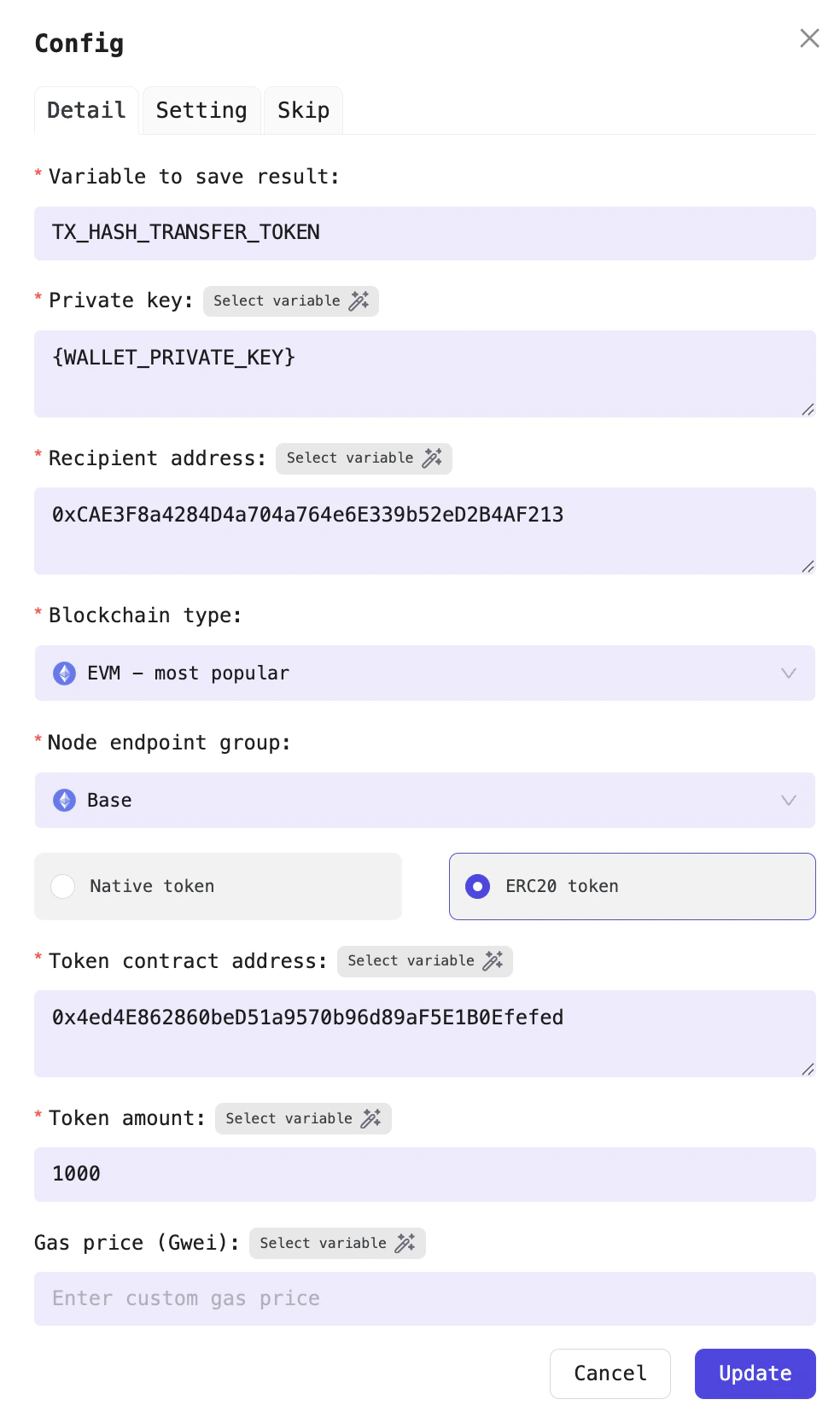
For example, sending the DEGEN token to Vitalik’s wallet
| Field name | Required? | Detail |
|---|---|---|
| Variable to save result | Yes | This processor will return the transaction hash of the transfer. Choose a variable name to store the transaction hash. For example: TX_HASH_TRANSFER_TOKEN |
| Private key | Yes | This is the private key of the wallet performing the transaction. Each Profile has a default variable for storing the private key, so you can use the default variable WALLET_PRIVATE_KEY |
| Recipient wallet address | Yes | Recipient wallet address |
| Chain | Yes | The blockchain network where you want to send the token |
| Node endpoint group | Yes | Select the node provider to interact with the blockchain |
| Token address | Yes | Address of token |
| Token amount | Yes | The address of the token you want to check balance |
| Gas price (gwei) | No | For the Solana chain, this field is called Priority Fee (Micro lamport); for Aptos, it is Gas Price (Gas Units); and for Sui, it is Gas Price (MIST) |